TWA Flight 800 - Google Earth Project
|
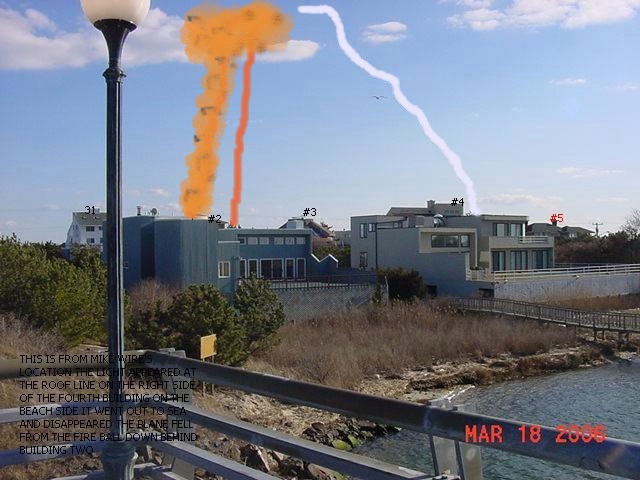
We recently modified Google Earth so it works directly on this page as a tool to locate the events leading up to the crash of TWA Flight 800 on July 17, 1996. You can locate the eyewitnesses and where Flight 800 was at different points in time. By overlaying the radar data onto the Google Earth (GE) map, we can see precisely where Flight 800 was in relation to the eyewitnesses. By using the altitude data provided we can see how high in the sky Flight 800 was from the perspective of each eyewitness and from eyewitnesses who were in the air. By using the "fly to" capability of GE, we can go to each eyewitness location and see what their perspective was when they saw a streak of light approaching Flight 800. Just "double click" on the witness name or number and you will fly to his/her view of the crash. GE also allows us to draw "bearing lines" from each eyewitness to specific points to see if they were looking in the right direction. The GE information bubble that appears when you double click an object allows us to provide information or a quote from the eyewitness. It also allows us to provide links to other graphic or audio and video clips. Some of these functions are not yet available but we will be modifying the site constantly, so check back later.
World Net Daily did an article on the Wire interview:
To identify any particular eyewitness, simple zoom to a high altitude using the nav controls of GE and then double click on the dot icon of the eyewitness. You will then fly to his/her viewpoint. This is a working tool that we are using to precisely locate the events according to their radar coordinates, the witness locations and their sightlines of the tragedy. |